 Family Zone
Your family at a glance.
Right on your home screen.
See today's plans, the next birthday and what is left on the shopping list without opening the app. Tap a widget and you go straight to it.
- Included with the app
- Small, medium and large sizes
- Light and dark mode
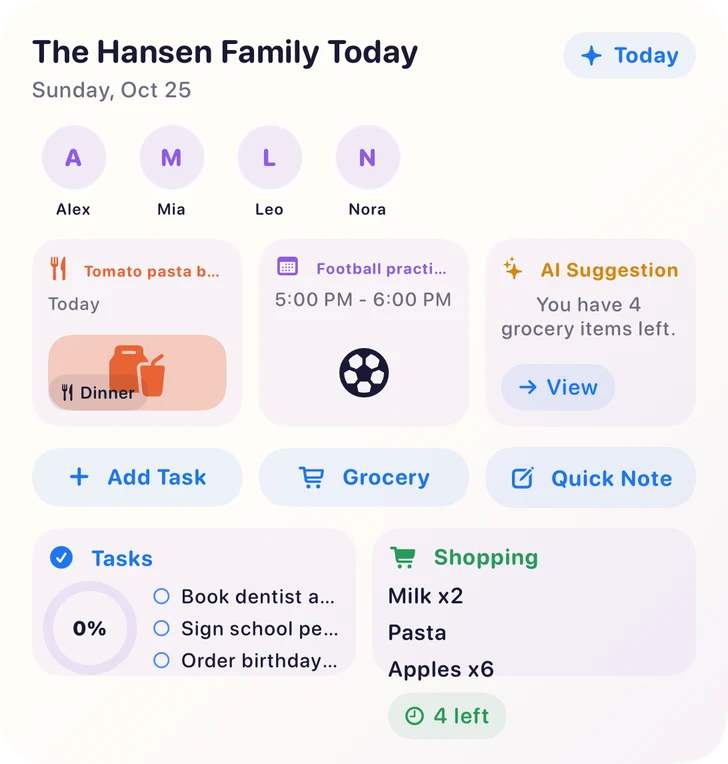
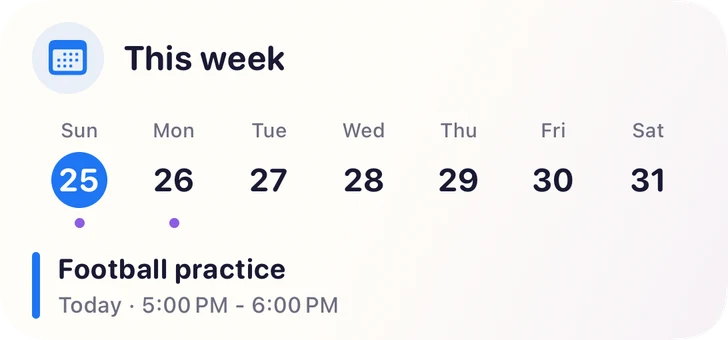
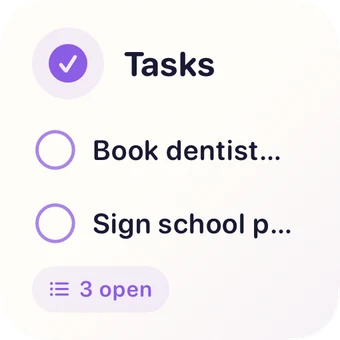

Made for a quick look
The everyday details, right where you already look many times a day.
One look is enough
See what is happening today without opening the app or scrolling.
Tap to jump in
Tap an event, a task or a list and Family Zone opens right there.
Always up to date
Widgets refresh when your family makes changes, so everyone sees the same plan.
Fits your home screen
Choose small, medium or large, in light or dark mode, and place them where you like.
Ready in a few seconds
Install Family Zone and sign in first, so your widgets have something to show.
iPhone
- 1Touch and hold an empty spot on the Home Screen until the apps start to jiggle.
- 2Tap Edit or the + button, then Add Widget.
- 3Search for Family Zone, choose a widget and a size, then tap Add Widget.
Android
- 1Touch and hold an empty spot on your home screen.
- 2Tap Widgets.
- 3Find Family Zone, then touch and hold a widget and drag it into place.
The pictures on this page show the iPhone widgets. On Android, the same widgets follow the look of your phone, so they appear a little different.
Good to know
Do widgets cost extra?
No. Widgets come with the Family Zone app at no extra cost. They show information from the parts of Family Zone your family uses.
Which phones can use them?
iPhones with iOS 17 or later, and Android phones with Android 7.0 or later.
How often do widgets update?
They refresh when Family Zone syncs changes from your family, and your phone also refreshes them regularly in the background.
Why is my widget empty?
Open Family Zone and make sure you are signed in. The widgets fill in once the app has synced your family information.
Can other people see my widgets?
Widgets show family information on your home screen, so anyone looking at your phone can see them. Choose the widgets you are comfortable showing.
Put your family on your home screen
Start free, download the app and add your first widget.